

There is usually a moment when an existing ERP stops being an operational backbone and starts becoming a constraint. It rarely fails outright. Instead, it slows things down in ways that are difficult to isolate. Reporting takes longer than it should. Workarounds become embedded in daily processes. Teams rely on manual steps that were never meant to be permanent.
That moment is often what triggers a move to Microsoft Dynamics 365 Business Central. The decision itself tends to be straightforward; the complexity sits in everything that follows.
Migration is not a technical upgrade in the narrow sense. It is a structural change that affects how data flows, how teams work, and how decisions are made. Approached carefully, it can reset how your business operates. Approached casually, it can introduce new friction that is harder to unwind later.
Why Migration Feels Different Now
Cloud ERP adoption is no longer a “future” trend; it is the current standard. Organizations are no longer asking if they should move, but how and when. At the same time, expectations of ERP systems have shifted. Real-time visibility, seamless integration with adjacent systems, and support for evolving business models are no longer optional.
This shift creates pressure on legacy systems that were not designed for this level of flexibility. According to Gartner’s research on ERP strategy, modern businesses require “Composable ERP” environments that can adapt to rapid market changes. This raises the bar for what a successful migration looks like. It is no longer enough to replicate existing processes; the move to Business Central forces a series of decisions about what to carry forward, what to redesign, and what to leave behind.
Data Is Not Just a Technical Task
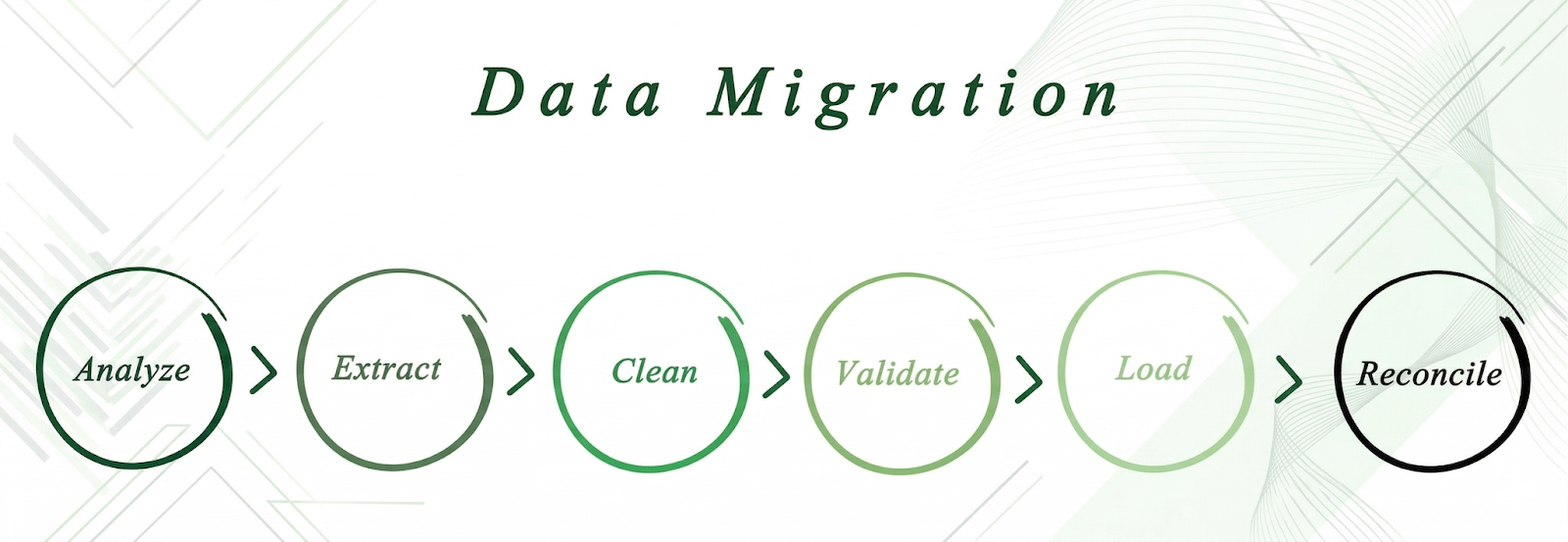
Data migration is often framed as a purely technical exercise: extract, clean, load, and validate. In practice, it is one of the most consequential parts of the entire project.
Most organizations carry years of historical data that reflects how the business has evolved. Customer records, pricing structures, inventory history, and financial transactions, not all of it needs to move. Deciding what to migrate requires a clear understanding of how that data will be used within the Business Central environment.
Cleaning data during migration is an opportunity to simplify. Inconsistent naming conventions and duplicate records often surface during this stage. By addressing these early, organizations find that reducing data complexity has a direct impact on usability and reporting clarity once the new system is live.
Process Alignment: Where the Real Work Happens
A common instinct is to replicate existing workflows as closely as possible because it feels “safer”. However, legacy processes are often shaped by past system limitations rather than true business intent. Recreating them in Business Central can carry those limitations forward.
Migration creates a natural point to revisit these processes. This doesn’t mean redesigning everything, but rather identifying which processes are essential and which can be improved by Microsoft’s modern ERP capabilities. Organizations that align processes with Business Central’s native structure tend to see stronger outcomes and a decrease in manual intervention.
Integration Cannot Be an Afterthought
ERP systems rarely operate in isolation. They sit at the center of a broader ecosystem that includes CRM platforms, warehouse management systems (WMS), and reporting tools like Power BI.
If integration planning happens too late, you risk data inconsistency and transaction timing issues. A more effective approach is to map the full system landscape before migration begins. Identify:
- Where data originates
- How it moves between systems
- Where it is consumed
Timelines are Shaped by Internal Readiness
Migration timelines are often discussed in terms of technical milestones, but internal readiness plays an equally significant role. Resource availability, decision-making speed, and stakeholder alignment all influence progress.
Many organizations underestimate the time required for user training and process validation. These are not peripheral tasks; they are central to adoption. Realistic timelines build in space for iteration and feedback, reducing the likelihood of last-minute changes that disrupt the project.
Change Management Determines Adoption
Even a perfect technical implementation can fail without user buy-in. Resistance often comes from uncertainty. If teams do not see how the new system improves their day-to-day work, they may revert to familiar (but inefficient) methods.
Effective change management involves:
- Clear Communication: Explain the why behind the change.
- Practical Training: Hands-on sessions tailored to specific roles.
- Ongoing Support: Post-launch resources to help users adapt at their own speed.
How Leading Organizations Approach Migration
Experienced teams break migration into distinct, manageable phases:
| Phase | Key Objective |
| Assessment | Evaluate current processes and data structures. |
| Planning | Define future state, including integration architecture. |
| Execution | System configuration, data migration, and training. |
| Optimization | Refine processes and reporting post-go-live. |
This phased approach does not eliminate complexity; it makes it manageable.
Moving Forward with Clarity
A migration to Business Central creates a foundation for future growth by simplifying operations and improving visibility. Realizing those benefits depends on careful planning and attention to detail.
At ACE Micro, we work with organizations navigating this transition, bringing a structured approach grounded in real-world experience. Our goal is to ensure your system supports exactly how your business needs to operate moving forward.